Clickfree Complaints: The 6 Most Common Problems (and Fixes)
No product with 200,000+ units sold is complaint-free, and Clickfree is no exception. We read through the negative reviews on Trustpilot, the QVC community forums and review sites to find out what actually goes wrong — and how to avoid it.
The 6 most common Clickfree complaints
1. Trouble registering or activating
Several reviewers say they couldn’t register the device or had to wait for a code. The app requires a free account and an internet connection the first time. Fix: use Wi-Fi, double-check your email address, and update the app before you start.
2. The app quits during the first backup
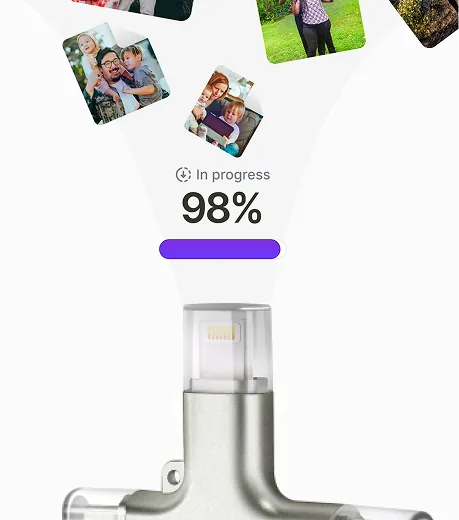
One QVC community member described the app copying some photos and then quitting on a new iPhone. Large first backups are where this usually happens. Fix: keep the phone plugged into power, keep the screen on, and leave the app open. If it stops, run the backup again — Clickfree skips what it already copied. See our troubleshooting guide.
3. Device not recognized
Some owners say the phone didn’t detect the device. Usually it’s a connection or permission issue: reseat the connector, remove a thick case if it blocks the tip, and allow the accessory prompt on iPhone.
4. Customer support
The harshest reviews are about support — slow responses, reluctance to replace a faulty unit, or (in one Trustpilot review) being charged for support. Clickfree’s store advertises free technical support and a Help Center, so if you’re asked to pay, point to that.
5. Price
Per gigabyte, Clickfree costs more than a generic flash drive. You’re paying for the four-connector hardware and the one-tap app. If you don’t need those, see our best photo backup devices roundup.
6. Optional AI credits feel like an upsell
The AI photo restoration feature uses paid credits. It’s optional and not needed for backup, but some buyers didn’t expect it.
Putting complaints in context
On Influenster, about 86% of roughly 400 ratings were 4 or 5 stars, and only about 4% were 1–2 stars (some reviews there were incentivized). Trustpilot skews more negative, which is typical: people are far more likely to go to Trustpilot after a bad experience. The pattern is clear, though. The device itself works for most people; when things go wrong, the support experience is what frustrates them.
| Complaint | How common | Avoidable? |
|---|---|---|
| Registration/activation | Occasional | Mostly — Wi-Fi + updated app |
| App stops mid-backup | Occasional, large libraries | Mostly — power + screen on, re-run |
| Faulty device | Rare | Use the 30-day return window |
| Support delays | Recurring theme | Buy direct; keep your receipt |
How to avoid problems
- Buy from the official store so the 30-day return window and 1-year warranty clearly apply.
- Update iOS/Android and the Clickfree app before your first backup.
- Do the first backup at night with the phone charging.
- Check the backup in View Backup Storage before deleting anything from your phone.
- Keep a second copy of irreplaceable photos (computer or cloud).
How to get help
Clickfree’s store links to a Help Center with setup guides and a support contact. Note your order number and describe the phone model, OS version and what happens on screen — that speeds things up.
Frequently asked questions
What is the most common Clickfree complaint?
Problems with registration/activation and customer support responsiveness come up most often, followed by the app stopping during large first backups.
Is Clickfree support free?
The official store advertises free technical support and a Help Center.