ClickFree Pro Review 2026: Is This Photo Backup Device Worth It?
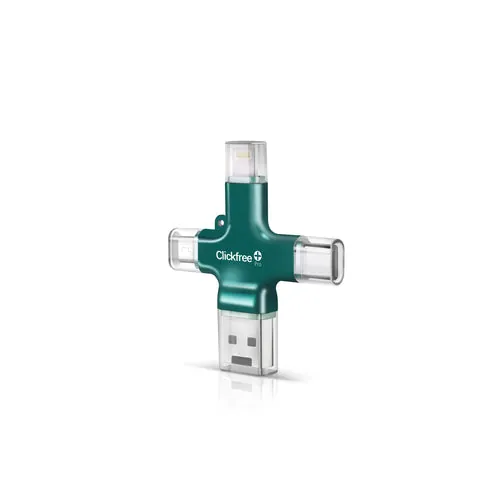
Clickfree Pro Edition (Photo & Video Saver)
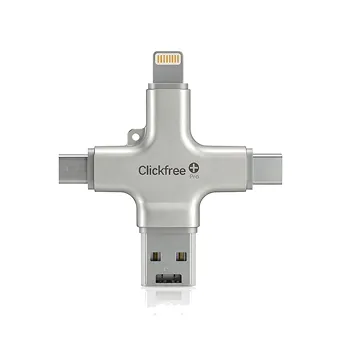
- 4 built-in connectors: Lightning, USB-C, Micro-USB, USB-A
- One-tap “Backup All” — skips duplicates on later backups
- No cloud, no subscription — photos stay on the device
If your phone keeps flashing “Storage Almost Full” and you don’t want to pay for iCloud or Google storage every month, the Clickfree Pro Edition is one of the most common answers you’ll see advertised. It’s a small USB device with four connectors built in, and with one tap in its app it copies your photos, videos and contacts onto the device itself.
We went through Clickfree’s own specs, help docs and videos, plus hundreds of public owner reviews on Influenster, Trustpilot and QVC, to answer the questions buyers actually ask: does it work, is it worth the price, is Clickfree legit, and what are the alternatives? Here is the full ClickFree Pro review for 2026.
Our verdict in 30 seconds
Clickfree Pro is a genuinely easy, subscription-free way to get photos and videos off a phone and onto something you can hold. The four-in-one connector design and duplicate-skipping backup are its real strengths, which is why it’s so popular with parents, grandparents and anyone who finds cloud backup confusing. It costs more per gigabyte than a plain flash drive, the first backup of a large library takes a while, and customer-service reviews are mixed — so buy from the official store, where the 30-day return window applies.
✅ What we like
- Truly one-tap backup — no menus or file browsing
- Lightning, USB-C, Micro-USB and USB-A all built in
- Works across iPhone, iPad, Android, Mac, Windows and many Chromebooks
- No monthly fee, no cloud account holding your photos
- Later backups copy only new items (no duplicates)
- Can scan old printed photos with the phone camera
⚠️ Watch out for
- Pricier per GB than a standard flash drive or external SSD
- First backup of a big library can take a long time
- Needs the Clickfree app and a free account (internet required at setup)
- Mixed reviews of customer support on Trustpilot
- Only one copy — you should still keep a second backup
- Larger sizes often sold out
What is Clickfree Pro?
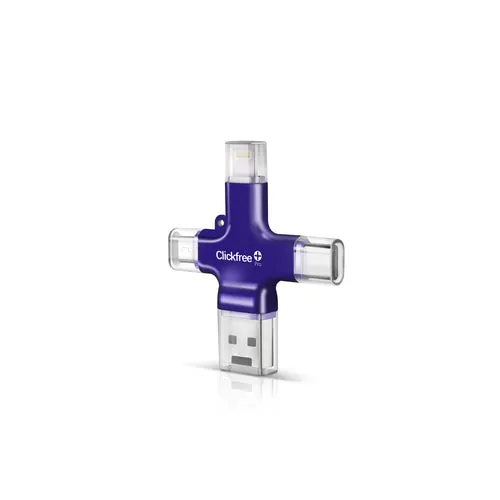
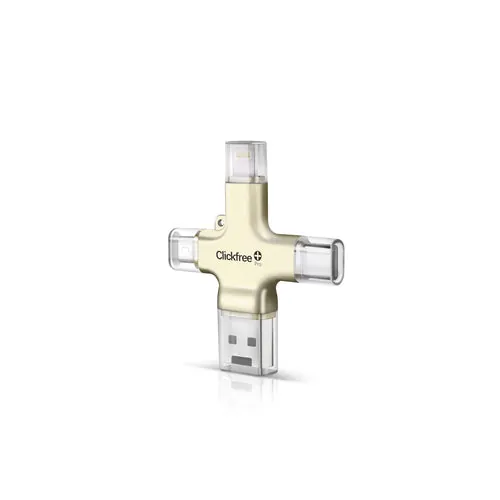
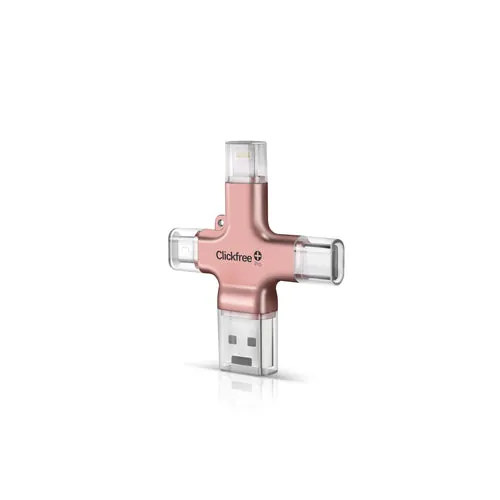
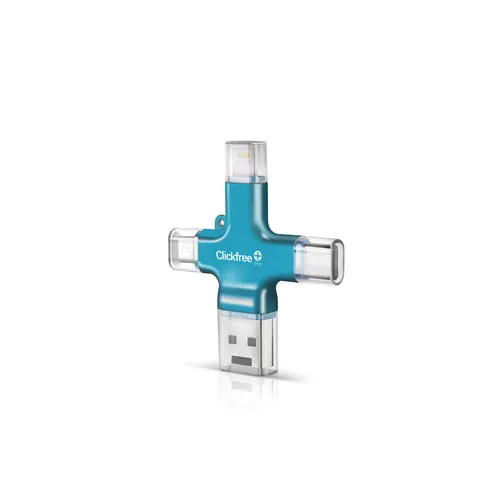
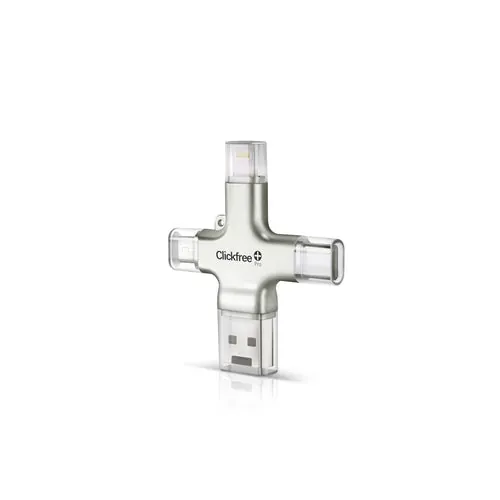
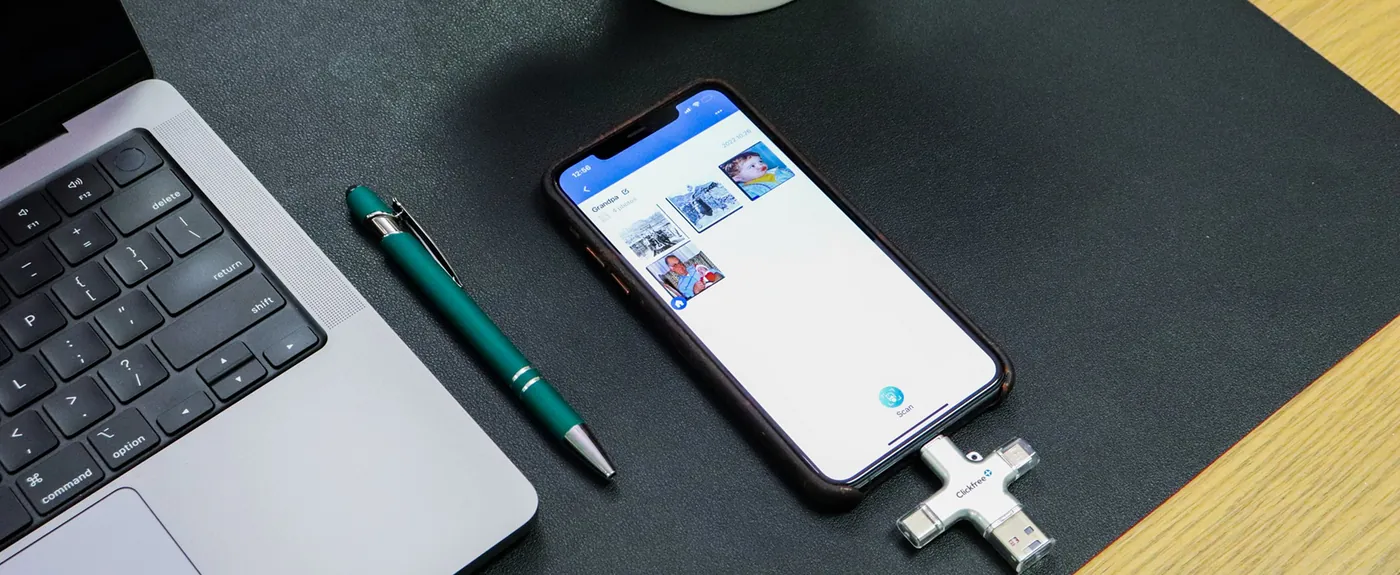
Clickfree Pro (sold on the official site as the Clickfree Pro Edition – Photo and Video Saver Device) is a portable storage device built for one job: getting the photos and videos on your phone backed up without a cloud subscription. Instead of a single plug, it has four connector tips built into the body — Lightning for older iPhones and iPads, USB-C for newer iPhones and most Android phones, Micro-USB for older Android devices, and full-size USB-A for computers.
You plug it in, open the free Clickfree app and tap Backup All. The app copies your photo library, videos and contacts onto the device. Your phone keeps everything until you decide to delete it, so the backup itself never removes anything.
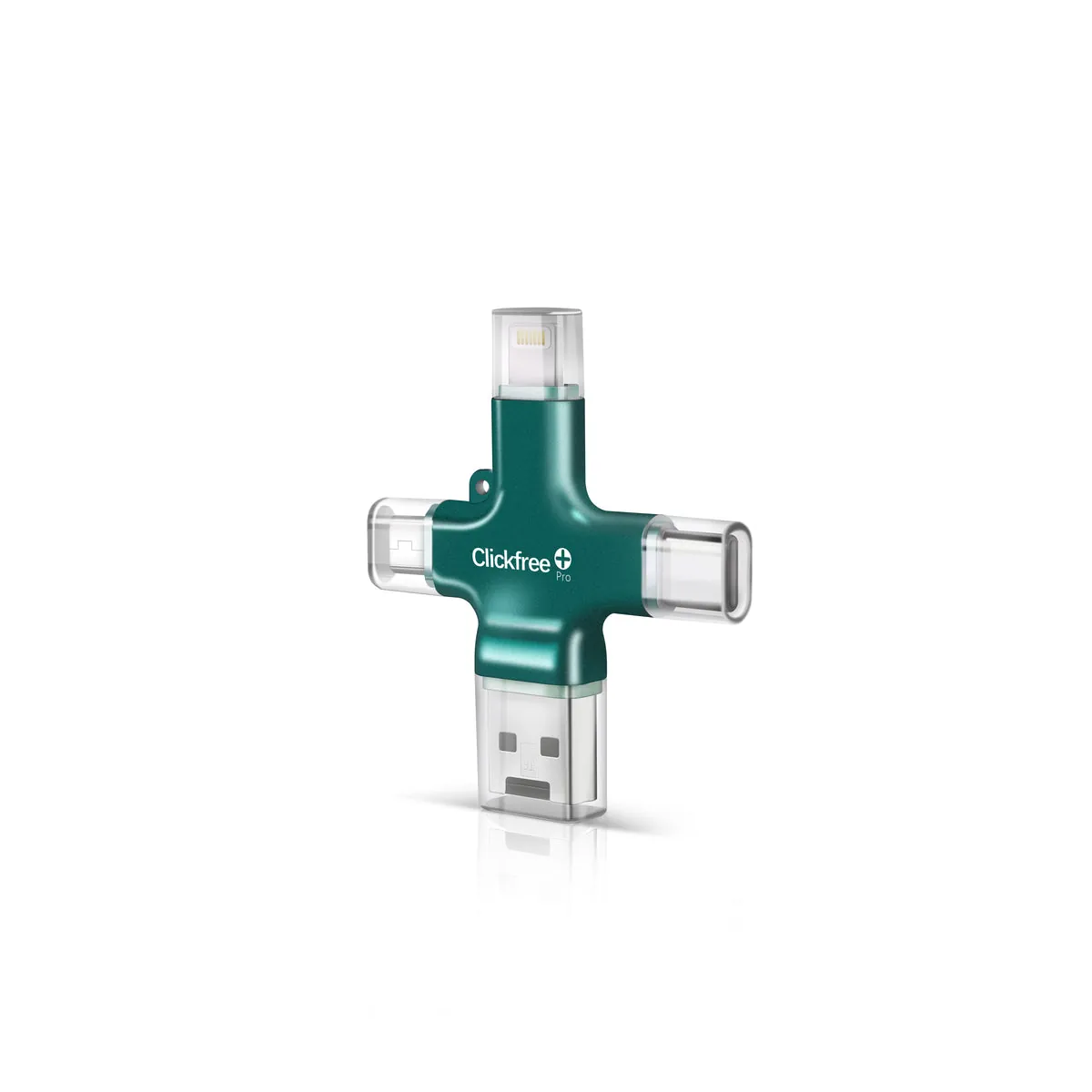
The Clickfree name has been around since the late 2000s, when the original company sold “automatic backup” hard drives that tech outlets like TechRadar and TechCrunch reviewed. Today’s Pro Edition is a phone-first product, and the official store says more than 200,000 units have been sold.
How it works
Setup takes a few minutes the first time, and after that each backup is about three taps. Our step-by-step setup guide walks through it with screenshots, but here’s the short version:
- Download the free Clickfree app from the App Store or Google Play (there are Mac and Windows versions too).
- Plug Clickfree into your phone using the matching connector tip.
- Create a free account when the app asks (you need an internet connection for this step).
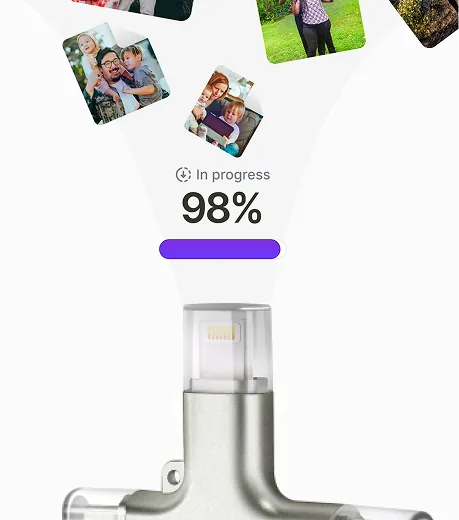
- Tap “Backup All.” The app copies photos, videos and contacts onto the device and shows a progress screen.
- Next time, just plug in and tap again. Only new photos and videos are copied, so you don’t get duplicates.
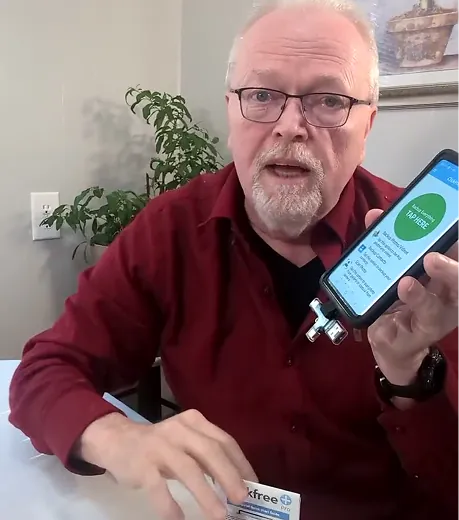
Clickfree has published several short demo videos. They’re worth a minute of your time because they show exactly how simple the process is:
Key features
1. Four connectors, no adapters
This is the feature that sets Clickfree apart from most “photo stick” devices. Many competitors are Lightning-only or USB-A-only and need a dongle for everything else. Clickfree’s tips cover a 2016 iPhone, a 2024 iPhone 16, a Samsung Galaxy, an old Android tablet and a laptop — handy when one device is backing up a whole family’s phones.
2. One-tap “Backup All” with no duplicates
The first backup copies everything. After that, Clickfree copies only what’s new since last time. This matters more than it sounds: plenty of cheap flash drives copy your entire camera roll again every time, and you end up with three copies of every photo and a full drive.
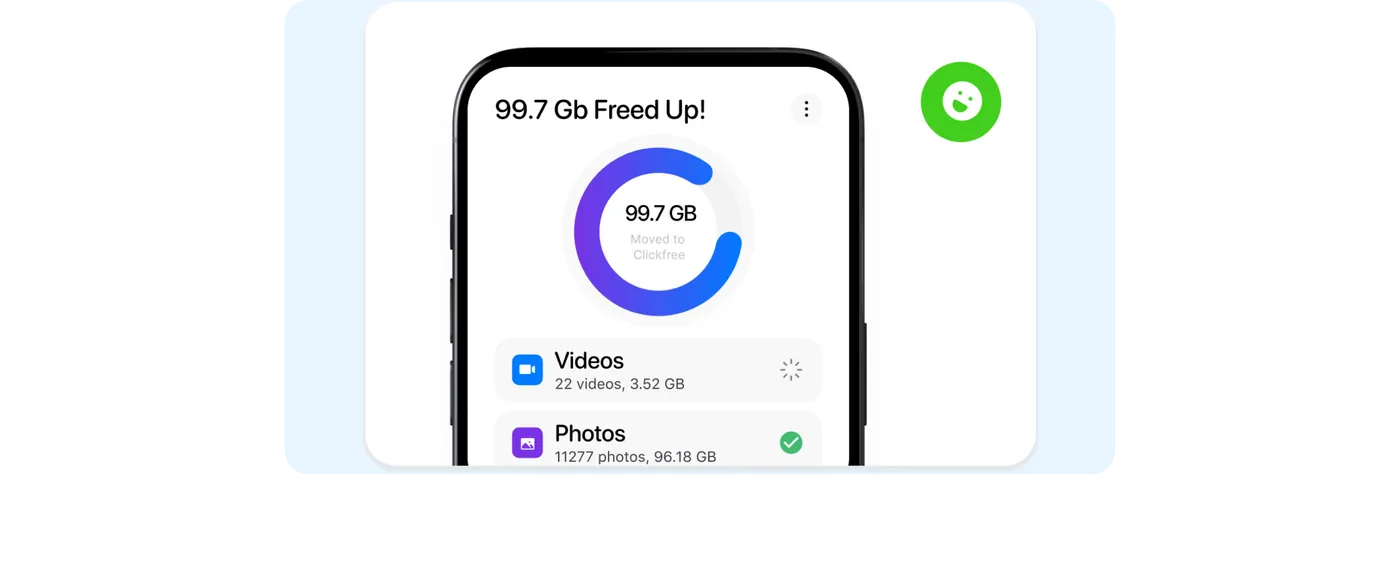
3. Take photos and video straight to the device
The app can save new photos and video directly to Clickfree storage instead of the phone — useful at a recital, wedding or vacation when your phone is already full.
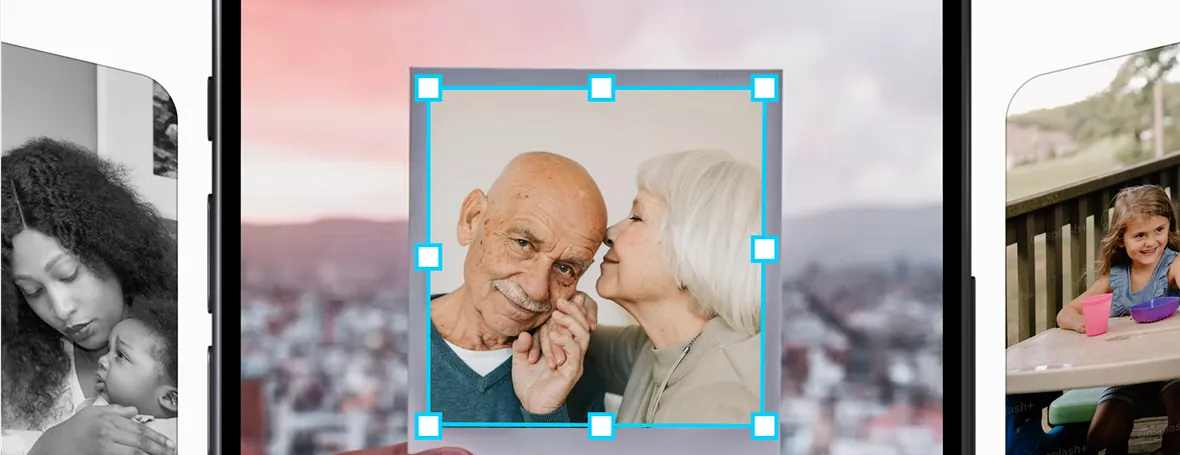
4. Scan your old printed photos
Using the phone camera, the app can scan printed photos and save them alongside your digital library. It’s not a flatbed scanner, but for shoeboxes of family prints it’s a quick way to get them digitized. See our guide to scanning old photos.
5. Optional AI photo restoration
Clickfree sells optional AI restoration and colorization for old or damaged photos, paid with credits (a 1,500-credit pack was listed at $99.99 when we checked). You don’t need it to use the device; it’s an add-on.
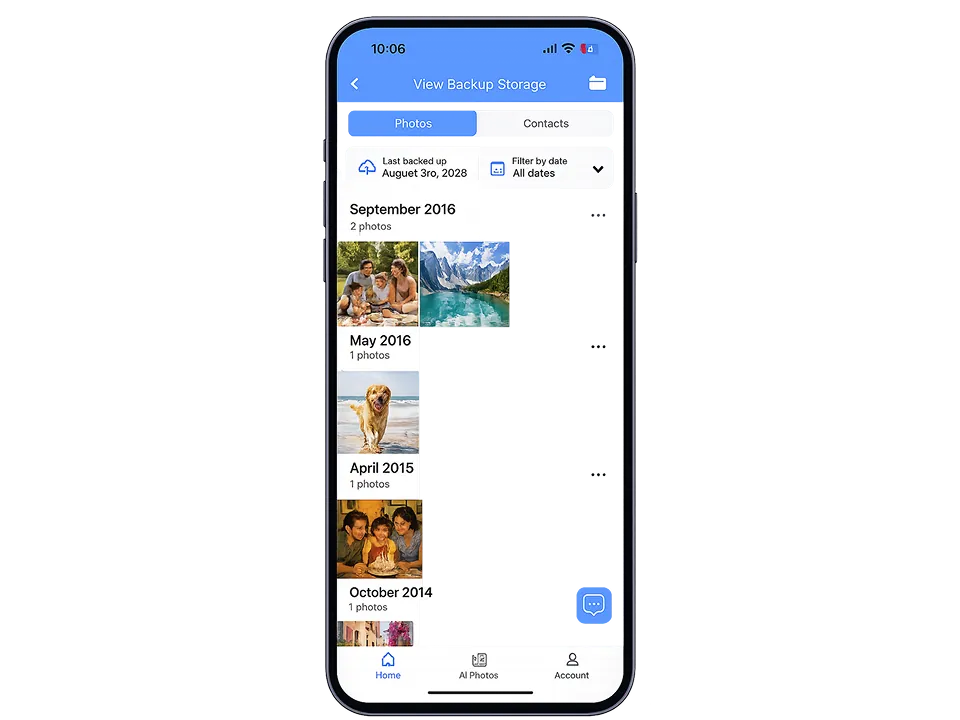
6. Browse your backup anytime
Files sit on the device, not in the cloud. In the app you can open View Backup Storage to browse what’s saved, and on a computer Clickfree opens like a normal USB drive.
Compatibility
| Device | Requirement | Connector |
|---|---|---|
| iPhone & iPad | iPhone 6s or newer, iOS 13+ | Lightning or USB-C |
| Android phones & tablets | Android 8.0 or later + free Google Play app | USB-C or Micro-USB |
| Mac & Windows | Opens like a USB drive; desktop app available | USB-A |
| Chromebook | Many models | USB-C or USB-A |
That covers nearly any phone sold in the past eight years. Android owners should check our Clickfree for Android page for a few Android-specific tips.
Sizes, price & colors
Clickfree Pro comes in four capacities. Clickfree’s own estimates:
| Capacity | Approx. photos | Approx. video | Availability (Nov 2026) |
|---|---|---|---|
| 64GB | 15,053 | 6.5 hours | Sold out |
| 128GB | 30,156 | 13 hours | In stock — $199.99 |
| 256GB | ~60,000 | ~26 hours | Sold out |
| 512GB | ~120,000 | ~52 hours | Sold out |
256GB/512GB figures are our estimates, scaled from Clickfree’s 64GB and 128GB numbers. Prices and stock change often; on the day we checked, the store page also showed other prices in its meta data and comparison table, so confirm the price at checkout.
Not sure which size fits? Our Clickfree size guide shows how to check how much space your photos use. For most people with one phone, 128GB is the sweet spot. Shipping in the US is free (3–4 days), and Shop Pay lets you split the cost into four interest-free payments.
It comes in six finishes:
What owners say
We read through public reviews on several platforms rather than relying on one source. The picture is consistent: people who mainly want an easy, no-subscription backup are happy; the negative reviews mostly involve setup snags, defective units or slow support replies.
| Source | Rating | Notes |
|---|---|---|
| Clickfree.com product page | 4.1 / 5 (15 reviews) | Small sample; praise for ease of use and scanning prints |
| Influenster | 4.48 / 5 (400 reviews) | 67% five-star; some reviews marked as incentivized |
| Trustpilot (clickfreebackup.com) | Mixed | Mix of happy owners and complaints about registration, support and refunds |
Common praise: easy enough for non-technical users, frees up phone space, works across the family’s mixed iPhone/Android devices, and scanning old prints is a nice bonus.
Common complaints: trouble registering or activating, the app stopping partway through a big first backup, and slow or unhelpful support for faulty units. Our Clickfree complaints breakdown and customer reviews roundup go into detail.
Common problems & quick fixes
- App won’t detect the device: unplug, close the app completely, plug in again and open the app. On iPhone, tap Allow when iOS asks whether the app may talk to the accessory.
- Backup stops partway: keep the screen awake and the app in the foreground; on iPhone, Clickfree can only copy photos that are actually on the phone, so photos still “in iCloud” must download first. Run the backup again and it picks up the rest.
- Can’t register: you need an internet connection to create the free account. Try Wi-Fi rather than cellular and check the email spelling.
Full troubleshooting steps are in Clickfree App Not Working? 9 Fixes.
Who should buy it (and who shouldn’t)
✅ Great fit
- Parents and grandparents who want a simple “press one button” backup
- Families with a mix of iPhones, Android phones and tablets
- Anyone tired of paying for iCloud or Google storage every month
- People who want a physical copy of photos they control
- Anyone who wants to digitize old printed photos
⚠️ Probably skip
- Tech-savvy users fine with dragging files to a $40 external SSD
- People with 500GB+ libraries (a 1TB+ drive is better value)
- Anyone who wants automatic, wireless, always-on backup (use cloud backup)
- Pro photographers backing up RAW files
If you’re buying for a parent, our Clickfree for seniors guide covers how to set it up for them.
Clickfree vs the alternatives
| Clickfree Pro | ThePhotoStick | SanDisk iXpand | iCloud+ | |
|---|---|---|---|---|
| Connectors | Lightning, USB-C, Micro-USB, USB-A built in | Varies by model | Lightning + USB-A (most models) | None (wireless) |
| Monthly fee | None | None | None | Yes |
| Skips duplicates | Yes | Yes | Partial | N/A |
| Works with Android | Yes | Model-dependent | No (iPhone-focused) | Limited |
| Best for | Mixed families, simplicity | Computer-photo sweeps | iPhone-only users on a budget | Automatic backup |
Deep dives: Clickfree vs PhotoStick · Clickfree vs SanDisk iXpand · Clickfree vs Picture Keeper · Clickfree vs iCloud · Clickfree vs Google Photos · Best photo backup devices
Is Clickfree legit?
Yes. Clickfree is a real, long-running product line, it sells through its own official store, and the Pro Edition has hundreds of public reviews on independent platforms. The store offers a 1-year limited warranty against manufacturing defects and 30-day returns. Watch out for look-alike sellers and unrelated companies with similar names — for example, “ClickFreeScore” is a credit-report service that has nothing to do with Clickfree backup devices. Read our full Is Clickfree legit or a scam? investigation.
Final verdict
For its target buyer — someone who wants their photos safe and off their phone without learning cloud settings or paying monthly — Clickfree Pro does the job well. The built-in connectors, duplicate-free backups and print scanning make it more useful than a generic photo stick. You do pay for that convenience, and we’d still keep a second copy of irreplaceable photos somewhere else (a computer or cloud), which is true of any single backup device.
Our tip: buy from the official Clickfree store so the 30-day return window and warranty clearly apply, and do your first big backup over an evening with the phone plugged in.
Frequently asked questions
Does Clickfree delete photos from my phone?
No. Clickfree copies your photos and videos; your phone keeps the originals until you choose to delete them yourself.
Does Clickfree Pro need a subscription?
No. The app is free and there are no monthly fees. Optional extras like AI photo restoration credits are sold separately.
Does Clickfree work with iPhone 15 and 16 (USB-C)?
Yes. Clickfree Pro has a built-in USB-C connector as well as Lightning, so it works with USB-C iPhones and older Lightning iPhones (iPhone 6s or newer, iOS 13+).
Does Clickfree work with Android?
Yes, Android 8.0 or later, using the USB-C or Micro-USB connector and the free Clickfree app on Google Play.
Where are my photos stored?
On the Clickfree device itself — not in the cloud. You can browse them in the app under View Backup Storage or plug Clickfree into a computer like a USB drive.
How long does the first backup take?
It depends on the size of your library. A first backup of thousands of photos and videos can take a long time; later backups copy only new items and are much quicker.
Can one Clickfree back up multiple phones?
Yes. Owners commonly use one device for several family phones and tablets, as long as there is enough capacity.
Is Clickfree worth it?
If you value one-tap simplicity and no subscription, yes. If you are comfortable managing files yourself, a plain external SSD is cheaper per gigabyte.
Keep reading
Is Clickfree Legit or a Scam? What We Found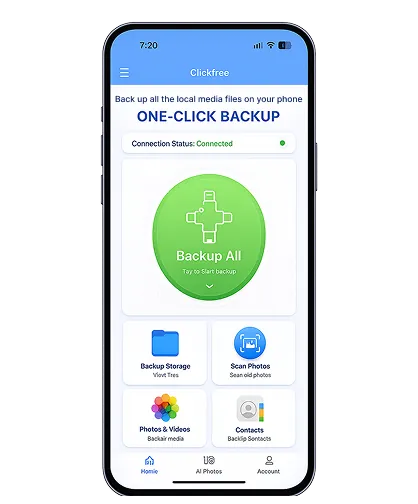 Clickfree vs PhotoStick: Which Should You Buy?How to Use Clickfree Pro: Complete Setup GuideClickfree Discount Code & Best Price (November 2026)iPhone Storage Full? 8 Fixes That Don’t Lose Your Photos
 Which Clickfree Size Do You Need? 64GB to 512GB Explained